
I set boundaries on sharing, so my family sees only what they should
Do you ever hesitate before clicking share on a photo album or a document that includes something personal? You probably do, and it’s for good reason.
With so many cloud platforms and shared accounts, privacy has never been harder to control. You might think you've set your boundaries, that your family only sees what they 'should'. But what if the tools you use aren’t as strict as you are?
No one intends to overshare, but modern sharing tools don’t always give you full control. And for your most personal information, like health records, financial documents, or special memories, "good enough" isn’t good enough.
Let's talk about why the boundaries you think you've set might be blurrier than you realize, and how you can actually take charge of your private digital world.
If I set permissions, can people still access my files?
Yes, and that’s the problem. Most sharing tools are built for convenience, not control. They make it easy to send links but don’t protect what happens after.
You have your photos on one cloud service, your documents on another, maybe a family calendar or notes on a third. Each lets you share. You create a link, invite people, set permissions.
But how many times have you shared a link, then forgotten about it? Shared links don’t expire. Permissions change silently. Someone forwards an email or copies a link, and your control ends there.
If I trust my family, do I still need to worry about privacy?
Yes, because privacy depends on control, not trust.
You can trust your family completely and still lose control over your data. Digital trust includes devices, accounts, and platforms that don’t always behave the way you expect.
Even in workplaces with strict policies, most data leaks don’t come from hackers. They come from mistakes. A file shared with the wrong person, a link left open, a document saved in the wrong folder. The same thing happens at home, only faster, because everything is connected. Shared accounts, synced devices, and automatic logins blur the line between private and public.
Good intentions don’t protect your data. Control does.
What happens when my family sees more than they should?
You lose control of what’s private. Once something is seen, it can’t be unseen. A single shared file can expose more than you intended. Medical records, financial details, or personal moments that weren’t meant for everyone.
It often starts small. Your sister forwards a photo album without noticing a scanned insurance card inside. Your in-laws open a synced tablet that still has your account logged in. Suddenly, your private files are visible to more people than you planned.
The more we share, the easier it is to lose track of where things end up. Old links, shared devices, and family group folders quietly stretch your boundaries until they break. That’s how personal photos and records end up outside your circle. And sometimes, online.
Studies show that both young people and older relatives are especially vulnerable, not because they don’t care about privacy, but because the tools make mistakes easy.
If you want to see what that loss of control looks like, Deutsche Telekom’s short film "A Message from Ella” shows exactly that
A Message from Ella | Without Consent
Moments like this are why control matters more than convenience.
How can I stop accidental sharing or leaks?
You stop them by using a system that enforces limits instead of relying on memory. Once a file is shared through a basic cloud link, it can be copied, forwarded, or forgotten. Real control means setting rules that don’t depend on people remembering them.
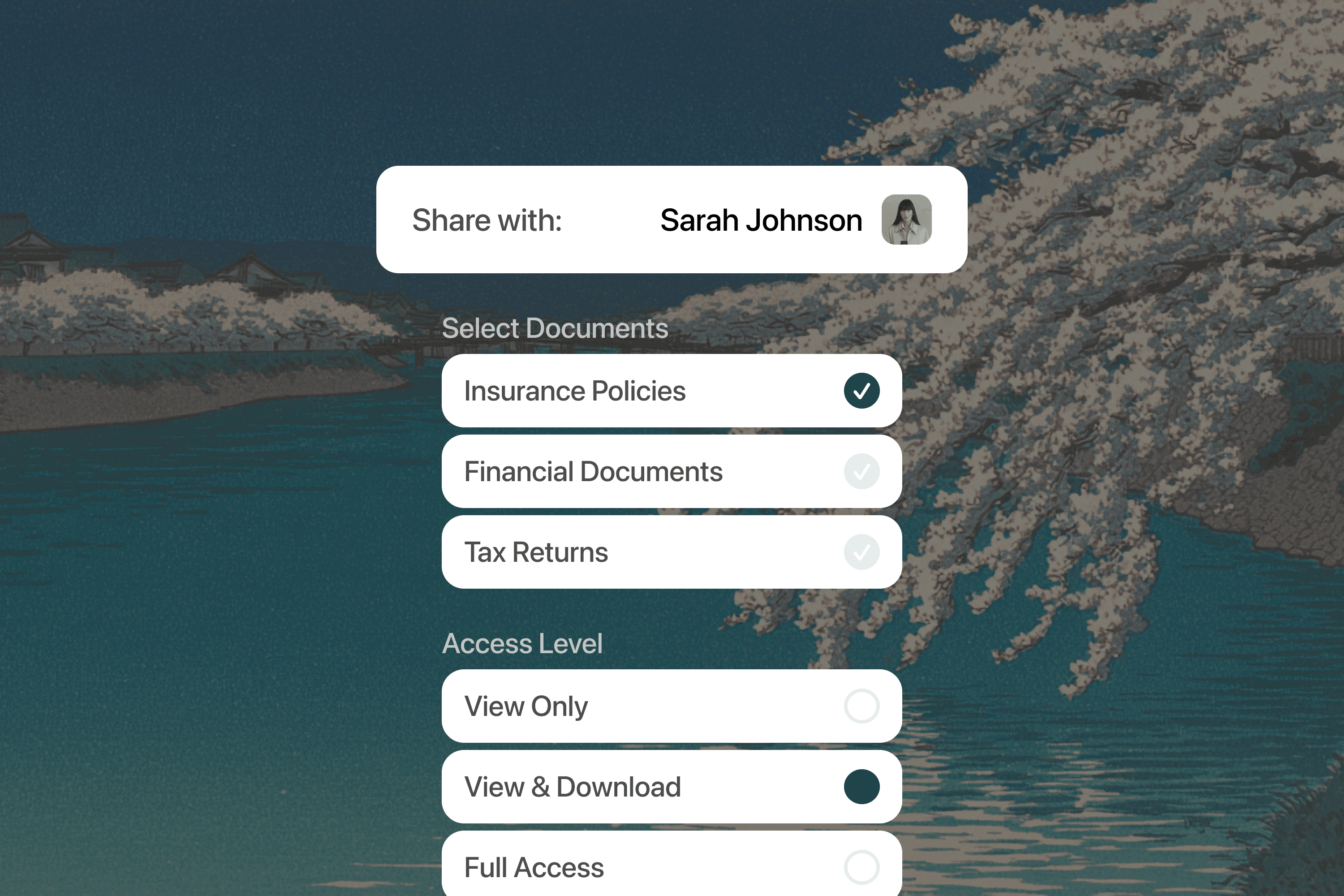
MyVault lets you decide exactly who can see your files, for how long, and what they can do with them. You can track activity, remove access instantly, and make sure expired links actually expire.
Every file stays under your control, no matter where it’s shared or who opens it.
How does MyVault help me set real boundaries on sharing?
Basic tools let you share files. MyVault lets you stay in charge after you do.
When you share through MyVault, every file carries its own rule set. Access can expire automatically, permissions update instantly, and every view or download is logged in real time. If something changes or looks wrong, you revoke it immediately.
It’s designed for real life. Couples sharing financial documents, parents sending family photos, or siblings organizing family records can all share without the risk of files living forever on someone else’s device.
MyVault treats every file like an asset, not an attachment. It stays encrypted, traceable, and accountable from the moment you share it.
Why isn’t MyVault a replacement for cloud storage?
Because storage isn’t the problem. Control is.
MyVault doesn’t replace your cloud service; it strengthens it. It connects with the tools you already use - Google Drive, Dropbox, iCloud, and others - and adds the control those platforms lack. You still store files wherever you want, but MyVault ensures they stay protected, monitored, and private.
It’s built on a zero-trust foundation, meaning nothing is assumed safe. Every access request is verified, every file is encrypted, and only you hold the keys. MyVault keeps your information organized, helps you track who can see what, and gives you the ability to act instantly when something changes.
It’s your intelligent privacy layer. An AI system that understands, connects, and acts.
What about emergencies?
Emergencies don’t wait for logins.
You could be in the hospital, and your partner needs your insurance details right now. If those files are sitting in a shared folder or behind a forgotten password, that delay can cost time and stress.
With MyVault, you decide in advance who gets emergency access. You can set specific conditions - access that activates only when it’s needed, expires automatically, and logs every action.
It also works for smaller, everyday moments, like a sibling needing a document for a short period or a cousin viewing photos for a reunion. Once time’s up, access ends.
Emergencies are unpredictable. Access shouldn’t be. MyVault keeps what matters available when needed, and invisible when it’s not.
Who’s in charge of your digital life?
Most people don’t plan for what happens to their digital world. Not the photos, not the records, not the accounts. When something happens, important files vanish into locked drives or get passed around without clear permission.
MyVault lets you manage your digital legacy. You can designate trusted people to access specific files, set expirations, or create detailed rules.
Family first. Privacy always.
Your digital life doesn’t have to be chaotic or risky. MyVault gives you structure. It turns “I think it’s safe” into “I know it’s protected.”
Your data stays where it belongs - under your control.
My rules. My privacy. MyVault.
Related posts
Feb 3, 2026
Household systems that pay for themselves in hours
Mental load means remembering when car insurance renews, tracking which child needs new shoes, knowing the fridge filter expires next month. Every household runs on hundreds of small details that someone must hold in memory.

Sead Fadilpasic
Jan 27, 2026
The Habsburg effect: why your data just got more valuable
The European Habsburgs built an empire through strategic marriages, consolidating power by keeping bloodlines strictly within the family. Something similar is happening with AI right now.

Markos Symeonides
Jan 21, 2026
The superuser problem: why AI agents are 2026's “biggest insider threat”
The primary security issue with AI agents is their access.
Markos Symeonides